Your planner, your real hot lists, 30 days
The quickest way to find out whether Unbrick helps your shop is to use it on the lists you are answering anyway. We measure it together, from your own records.
Connect
A sample export and one working session to map it, about an hour. The connector installs in under an hour.
Run real lists
Your planner answers each hot list in Unbrick and an approver signs off. A short weekly check-in with us.
Decide together
We go through the scorecard with you, and you decide whether to continue.
From your own records, not estimates
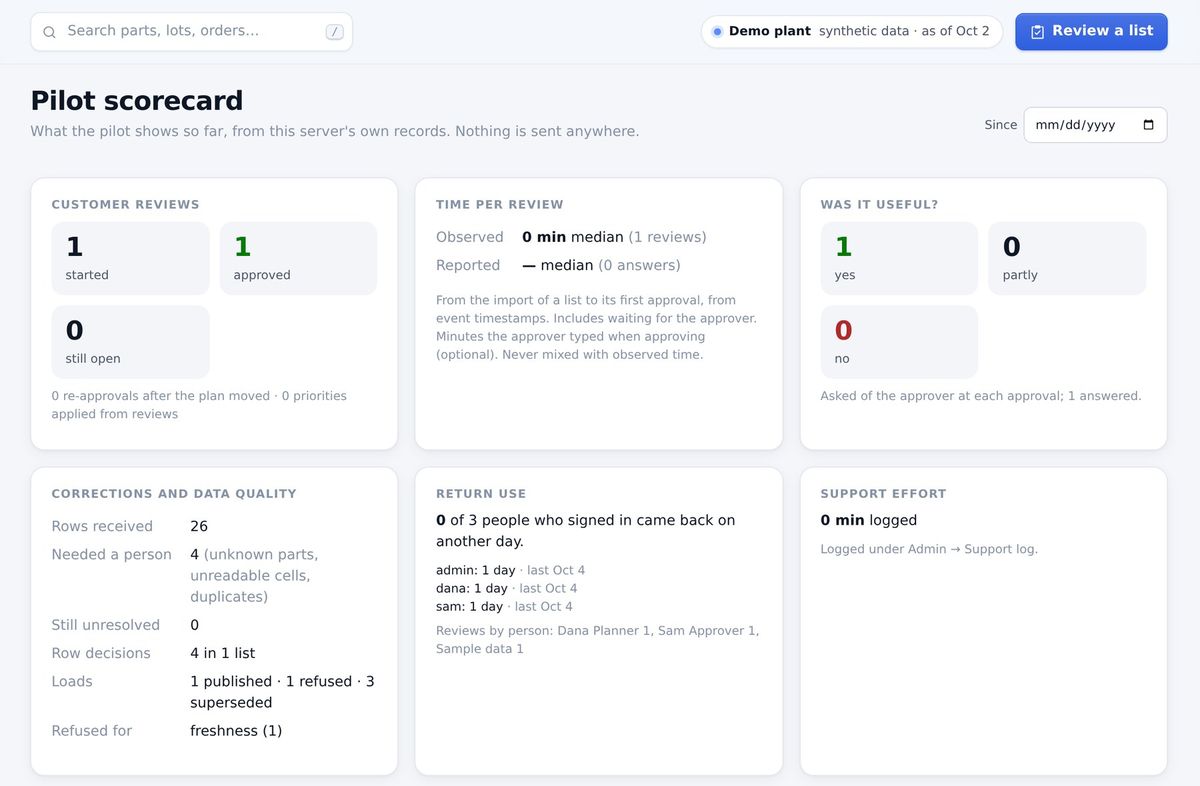
- Time per list: from import to approval, from timestamps.
- Was it useful? Asked of the approver at each approval.
- Did the dates hold? Each issued plan against what actually finished.
- Data quality and support: refused loads, rows that needed a person, the time we spent helping.
No borrowed numbers. We don’t quote demo-plant results as yours. The pilot measures your shop.
What we need from you
A sample export
Any CSV reports your ERP already produces, before the mapping session.
Your planner
An hour for the mapping and the first list, then about 30 minutes a week.
An approver
Someone who signs off each answer before it goes to the customer.
Your IT contact
To schedule the export and install the connector.
Is it a fit?
Who is Unbrick for?
Make-to-order machine shops with multi-level bills of material, lots moving through departments and outside processing, where labor sets the pace, and a big customer sends a weekly hot list.
Which ERPs work?
Any that can export reports to CSV on a schedule. The mapping is drafted from your files and confirmed by a person who knows your ERP.
Is it real-time?
No. It plans from a nightly snapshot that is checked before it is used. For answering a weekly hot list, a complete and consistent copy of last night’s data is what you want.
Does it optimize the schedule?
It plans finite capacity forward and shows you the trade-offs of each change. People decide.